Imager Control System (ICS) for Detector Evaluation
 XCAM
XCAM
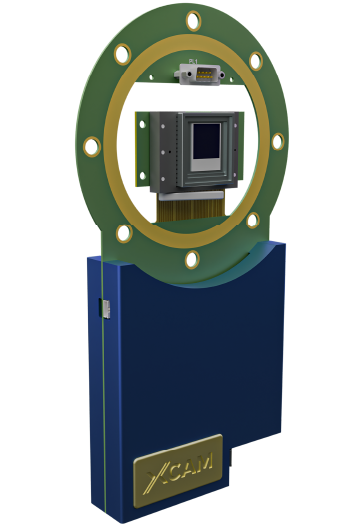
The Imager Control System (ICS) is an electronic interface for managing and operating imaging sensors, providing precise power, current, and voltages for reliable function and enabling detailed electro-optic and radiation testing.
Technical specifications
- Sensor
- Teledyne e2v CIS 300
- Format
- Up to 9k x 9k pixels
- Data lines
- 12
- Thermal
- Temperature sensing, thermal control connectivity
- Data interface
- USB 3
- Software
- Python code included
About
XCAM Scientific’s Imager Control Systems are custom-designed and built to operate specific sensor models, offering advanced electronics capable of powering even the most challenging sensors. This allows for early characterisation and testing of sensors in a project timeline, prior to full system integration. The system comprises a main board suitable for both in-air and in-vacuum operation, featuring a low-outgassing section designed for clamping between vacuum components. The ICS provides the precise power, current, and voltages necessary for detector function and allows users to configure the sensor’s operating modes. It also receives and processes all data output from the detector, converting it into a digital format for display, analysis, or storage on a connected PC. Characterisation involves detailed electro-optic and radiation testing to understand and optimise sensor performance, measuring parameters like sensitivity, noise, gain, and response to light or radiation. The system supports fine adjustment of bias voltages and signal timing to achieve optimal sensor performance. All designs allow for positioning inside a vacuum chamber for cooled operation. Operation requires a DC power supply and a PC with a National Instruments (NI) data acquisition card. The company recommends direct contact to discuss specific requirements due to the complexity and varied operating modes of imaging sensors, ensuring optimal performance verification and potential additional testing.
Documentation
No public datasheet yet — request the datasheet / ICD from the supplier.